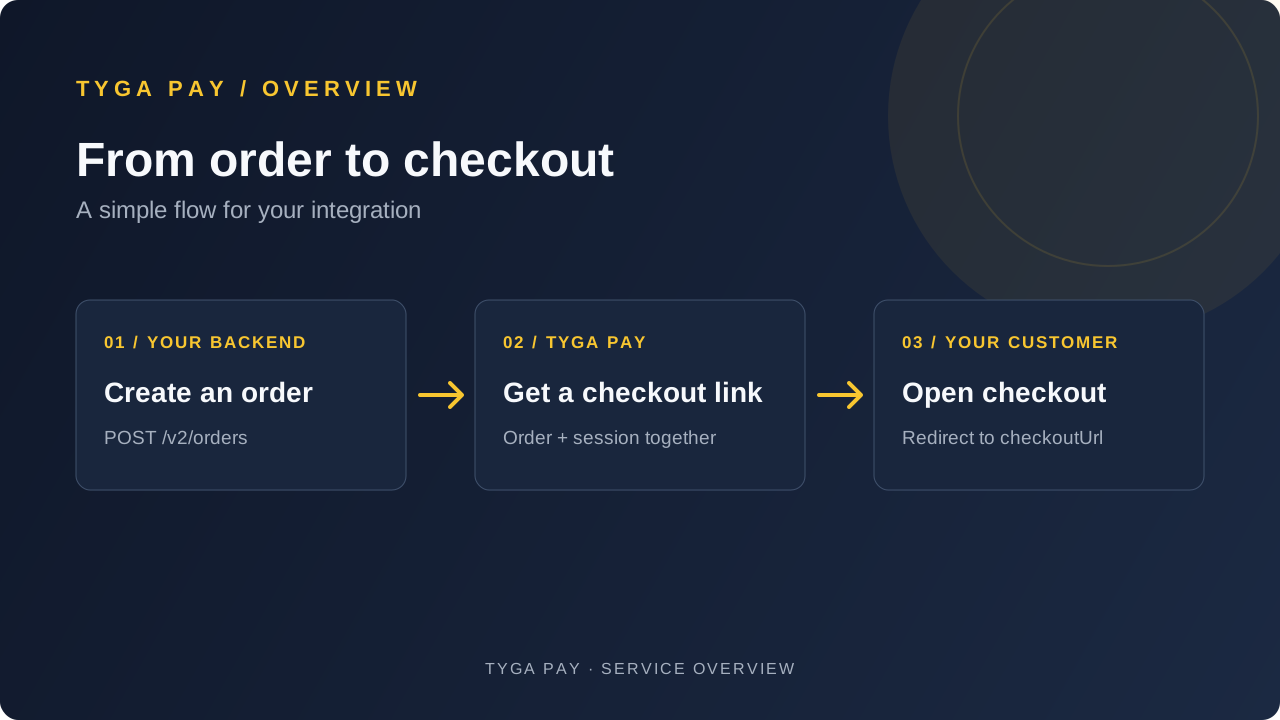
One request gets your checkout ready
Create the order first. Its first checkout session is included automatically. The response contains orderId, sessionId, checkoutUrl and expiresAt. The initial session shares the order’s expiry. Redirect your customer straight to that URL.
- Create order
POST /v2/orders - Order + session createdOne response includes the checkout link
- Redirect customerOpen the returned checkoutUrl
Why have a checkout session?
The order records what the customer owes: the merchant reference, amount and items. A checkout session grants access to that order through a secret link, with its own expiry and revocation. Customers use that link without receiving your merchant API key.
When should I create another session?
Only when you need another checkout link for an existing, unexpired order—for example, after revoking a link or when a shorter-lived session has expired. Call create a checkout session with the same orderId and a new idempotency key for this new operation.
- A new session does not create another order or extend its expiry.
- Creating another session does not disable earlier links. Revoke the old session explicitly if you are replacing its link.
- The initial session expires with the order. Additional sessions default to the earlier of 24 hours or the order expiry; you can request an earlier expiry.
- Retry the same operation with the same idempotency key and unchanged body. A retry replays its original result, including the original link; it does not renew expired or revoked access.
- A session is checkout access, not a payment or a confirmation that an order is paid.
- Create an API key. Sign in to the portal, select your merchant and environment, and create a key with
orders_writeandorders_read. Save the secret immediately; it is shown once. - Create an order from your backend. Send the create-order example with your secret key and a stable idempotency key. This creates both the order and its first checkout session; you do not need another creation request.
- Redirect the customer. Use the returned
checkoutUrlunchanged, including its fragment. Treat that link as a bearer secret: do not log it or expose it to other customers. - Read the order from your backend. Use
orderIdto retrieve it by ID, or usemerchantReferencewith the reference lookup when you do not have the ID. The order lifecycle status can remainopenafter payment; checkpaymentStatusforpaid.
export TYGA_API_BASE="YOUR_API_BASE_URL"
# Choose the API base URL shown on the signed-in API keys page.
# Load TYGA_SECRET_KEY from your server's secret store.
Examples are reference snippets; this documentation website does not send API requests. Replace the API base placeholder with the URL shown on the signed-in API keys page. Run requests from your server and never put your secret key in browser code.